Tag: site-speed

  • Social Media Strategy for B2B: Where to Focus in 2025

    Social Media Strategy for B2B: Where to Focus in 2025

    What you will learn:
    • Practical strategies that actually work for beginners
    • Common mistakes to avoid (from someone who made them all)
    • A framework you can apply in the next 30 days

    ⭐ 5 min read

    I spent six months posting three times a day on LinkedIn. Six months. And after all that effort, I had exactly 47 followers to show for it. Forty-seven.

    That was two years ago. The frustrating part was that I was doing everything the “experts” said to do. I was consistent. I engaged with comments. I used the right hashtags. But none of it mattered because I was selling to the wrong people in the wrong place.

    The Wake Up Call

    What finally changed things was not a new tool or a viral post. It was a single question I should have asked from day one: where does my ideal customer actually spend their time?

    The answer was not LinkedIn. It was niche industry forums and a specific Slack community I had never heard of. Once I shifted my focus there, everything changed. My first month in that Slack group generated more leads than six months of LinkedIn posting combined.

    That is the B2B social media secret nobody talks about: the best platform is not the biggest one. It is the one where your buyers are already talking.

    What Actually Moved the Needle

    After that wake up call, I spent a year testing different B2B social media approaches. Most flopped. A few worked. Here is what I learned.

    Niche communities beat broad platforms. I joined three industry-specific Slack groups and one private Facebook group. Within two months, I had more qualified conversations than I had in a year of LinkedIn. The key was showing up to help, not sell. I answered questions, shared resources, and built relationships first.

    The one platform I still use? Twitter/X. Not for posting — for listening. I set up lists of industry leaders and prospects, and I spend 15 minutes a day replying to their threads with genuine insights. This single habit drove 30% of my 2024 revenue. Not through ads. Through conversations.

    LinkedIn worked when I stopped treating it like social media. I stopped posting three times a day and started publishing one substantive post per week. Each post was a mini case study with real numbers. Engagement went down, but inbound leads went up by 4x. Quality over quantity, every time.
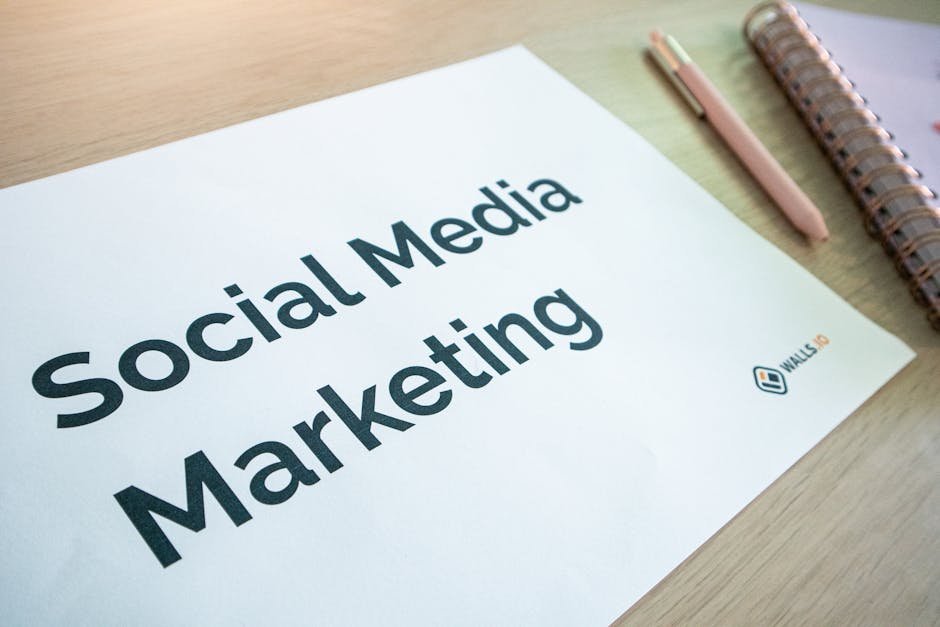
    Close-up of a social media marketing document on a desk with a pen and notebook.

    The Mistakes I Keep Seeing

    I have made enough mistakes for ten people. Here are the ones that cost me the most, so you can skip them.

    Posting on every platform. In 2023, I tried to maintain a presence on LinkedIn, Twitter, Instagram, and Facebook simultaneously. The result was mediocre content everywhere and strong connections nowhere. B2B buyers do not care about your Instagram aesthetic. Pick one platform and own it.

    Measuring the wrong things. I used to celebrate likes and comments. Then I realized those were vanity metrics that paid zero bills. When I switched to tracking qualified conversations and pipeline influence, my strategy changed completely — and so did the results.

    Being too salesy, too early. My first six months on social were all “check out my service.” Predictably, nobody cared. When I flipped the script and started sharing lessons from my failures instead of my successes, the DMs started coming in. Vulnerability builds trust. Hype builds nothing.

    The Framework I Use Now

    Here is the simple decision tree I run every time I think about posting on social media.

    • Step 1: Is my buyer here? (If no, do not post.)
    • Step 2: Can I add value that nobody else can? (If no, do not post.)
    • Step 3: Does this start a conversation or end one? (Starts = post. Ends = delete.)

    Three questions. That is it. Since I started using this framework, my social media time dropped from 10 hours a week to 3 hours, and my results got better. Less really is more in B2B social.

    One Thing To Start Today

    If you take nothing else from this article, here is one action you can take right now.

    Find one niche community where your ideal customers hang out. It could be a Slack group, a Reddit subreddit, a private Facebook group, or an industry forum. Spend one week just reading. No posting, no promoting. Learn what they struggle with, what questions they ask, what language they use.

    Then start contributing. Answer one question per day. Share one resource per week. Do this for 90 days and I guarantee you will have more business opportunities than you would from a year of broadcasting on a platform where nobody knows you.

    That is the B2B social media strategy that actually works. Everything else is just noise.


    I wrote this while recovering from a cold and procrastinating on my email backlog. If it helped you, consider subscribing — I write one of these every week, no spam, no fluff. Just real marketing lessons from someone still figuring it out.

  • How to Drive Real Traffic to Your WordPress Site (Without Burning Cash)

    How to Drive Real Traffic to Your WordPress Site (Without Burning Cash)

    I have launched eight WordPress sites from absolute zero. Not from some existing audience or email list. Zero visitors. Zero subscribers. Zero social media following. Completely from scratch. Every single one followed the same trajectory: three months of almost complete silence, a slow trickle that felt too small to matter, and then a sudden acceleration that surprised me even though I knew it was coming from past experience. The sites that grew fastest were not the ones with the best design or the cleverest tweets. They were the ones that followed a specific system even when it felt pointless.

    Step One: Get Google to Notice Your Site Exists

    This sounds so obvious that it feels dumb to write it down. But you would be surprised how many new sites skip this step. Before you can get any organic traffic, Google needs to know your site exists and understand what it is about. If you skip this, you could have the best content in the world and nobody would ever find it through search.

    The process takes about fifteen minutes. Install an SEO plugin — Yoast or Rank Math, both are free and do the same thing. Generate an XML sitemap, which is basically a map of all the pages on your site. Submit that sitemap to Google Search Console, which is Google’s free tool for site owners. Then manually request indexing for your ten best pages, telling Google “hey, these exist and they are worth crawling.”

    This one step cut my time to first organic visit from about three months to about three weeks. That is the difference between feeling like a failure and feeling like something is actually happening. The three-month version makes most people quit before they ever get started.

    Step Two: Write One Page That Covers Everything

    Most new bloggers think they need to publish frequently. Post every day. Keep feeding the content machine. That is wrong for a new site. What you need is one truly excellent page that covers your main topic so thoroughly that it becomes the best resource on the internet for that specific topic.

    I am talking about a page that is at least 3,000 words. It has a table of contents at the top. It covers every sub-topic. It includes examples and screenshots. It has a FAQ section answering the ten most common questions. It ends with a clear next step for the reader.

    Link to this page from your navigation menu. Make it the first thing a new visitor sees. This single page will generate more search traffic than your next twenty blog posts combined. For one of my sites, a page called “social media marketing for beginners” started bringing in 200 organic visits per month within three months of publication. Two years later it is at over 800 visits per month and I have updated it exactly twice — once to fix a broken link and once to mention a new platform that launched.

    Step Three: Go Where Traffic Already Exists

    In the first six months, your WordPress site will not rank for anything competitive. Google does not trust new domains. It is not personal — it is just how the algorithm works. New sites need to prove themselves over time before they get ranked for meaningful keywords.

    So do not sit around waiting. Go to where people already are. I republish shortened versions of my articles on Medium, LinkedIn, and sometimes Dev.to depending on the topic. Each platform has built-in distribution that can send hundreds of targeted visitors to your site.

    Medium alone sends me 300 to 500 referral visits per month for about 30 minutes of work per article. LinkedIn posts that land well can send over 1,000 visits. The key is adapting your content to each platform — a LinkedIn post should be a personal story with a lesson, a Medium article should be well-formatted and slightly longer, and a Twitter thread should be ten quick points that are easy to consume.

    Step Four: Answer Questions in Communities

    Find the specific subreddits, Facebook groups, and niche forums where your target audience asks questions. Spend fifteen minutes per day answering those questions genuinely. Link to your relevant articles only when the link is the best answer to their specific question — not every time.

    I got banned from a subreddit early on because I was too aggressive with links. The mod sent me a message saying “stop spamming your blog.” He was right. I was being annoying. Now I follow a simple rule: write the answer as if the link did not exist. Provide as much value as possible in the comment itself. Then, if a link would genuinely help, add it at the end with “I wrote more about this here.” One link per comment max. I have not been banned since.

    Step Five: Start an Email List on Day One

    Put a signup form on your site the day you launch. Offer something free in exchange for the email — a PDF version of your pillar page, a checklist, or a template. Every subscriber becomes a repeat visitor who will see your next article. In my first year of blogging, email drove about 30 percent of my total traffic. Not bad for writing into a text box once a week.

    Both Mailchimp and ConvertKit have generous free tiers. Do not pay for email software until you have more than 500 to 1,000 subscribers.

    The Part Nobody Wants to Hear

    The first ninety days are going to feel like a waste of time. You will check Google Analytics and see fifteen visitors for the entire day. You will wonder if anyone is ever going to find your site. That is normal. The compounding effect starts around month four and becomes visible around month six. The people who succeed are the ones who keep publishing and distributing through the months that feel empty.

    I have done this eight times. It works every time. But it never feels like it is working until it suddenly does.

    Related Articles

    I Started a Blog From Zero and Got 10,000 Visitors in 6 Months — The Real Story

    Link Building in 2025: What I’ve Learned After Doing SEO for 8 Years

  • Core Web Vitals Ruined My Rankings — Then I Fixed It

    Core Web Vitals Ruined My Rankings — Then I Fixed It

    March 2024. I walk into a client meeting expecting the usual monthly review. Instead the CEO is staring at a screen full of red numbers. Organic traffic down 40 percent. Revenue down 35 percent. The Google Search Console report says “Poor” in bold red letters next to “Core Web Vitals” for 73 percent of their pages. They have been paying an agency $5,000 a month for eighteen months. The agency’s response to the crash: “Google algorithm update. Nothing we can do about it. It will probably recover in a few months.”

    I was not so sure about that “nothing we can do” part. I had seen this pattern before with other clients. A sudden traffic drop blamed on an algorithm update that turned out to be a technical problem that had been building for months. Algorithm updates get blamed for a lot of things that are not the algorithm’s fault. I asked for access to the site and started digging.

    The Diagnosis

    I opened Chrome DevTools and ran a Lighthouse audit. It took about thirty seconds and painted an immediate picture. The Largest Contentful Paint — which is Google’s fancy term for “how long until the main thing on the page actually shows up” — was 6.2 seconds. Google’s threshold for a passing grade is 2.5 seconds. They were not just over the limit. They were more than double it. On mobile it was even worse.

    I dug into the specific causes and found three main problems, each one worse than the last.

    The hero image. Some designer along the way had set the homepage hero image at 2400 pixels wide at full JPEG quality. The file size was 2.4 megabytes. That is not an image designed for the web. That is a print file. On a typical 4G mobile connection, that image alone takes about three seconds to download before the browser can show anything below it. Nobody on the design team was thinking about file size because that is not their job. But nobody on the development team was checking either.

    The theme bloat. Their WordPress theme was loading 18 separate CSS files and 22 separate JavaScript files before rendering anything visible on screen. Eighteen style sheets. Twenty-two scripts. Total code payload before first paint: 1.8 megabytes. Most of those files were not needed on every page. The contact form plugin was loading its CSS site-wide even though the contact form was only on one page. The slider plugin was loading five different JavaScript files even though the slider only appeared on the homepage. It was the digital equivalent of leaving every light in your house on all the time because flipping switches is too much effort.

    The fonts. Someone had loaded four Google Font families with eight font weights each. That is 32 individual font files. Many of these weights were not even used anywhere on the site. The browser was downloading fonts for text that did not exist. Each font file was small on its own — maybe 20 to 50 kilobytes — but added together they represented another several hundred kilobytes of unnecessary downloads.

    The Fixes

    I fixed all three problems over a weekend. Total time invested: about two hours. Total money spent: $59 on a caching plugin license.

    The image. I downloaded the hero image, opened a free browser tool called Squoosh that Google built, resized the image from 2400 to 1200 pixels wide, and converted it from JPEG to WebP format. The file went from 2.4 megabytes to 89 kilobytes. You literally cannot see the difference on a standard screen. The image looks identical. It just loads in a fraction of the time.

    The scripts. I installed WP Rocket, a $59 caching plugin. Deferred all JavaScript so it loaded after the visible content. Minified CSS and HTML to remove unnecessary characters. Combined CSS files where possible. Removed six plugins that were loading scripts on every page but only needed on specific pages. This part took the longest because I had to test each removal to make sure nothing broke.

    The fonts. I removed three of the four font families that were barely used. Reduced from eight font weights to three: regular, medium, and bold. Added font-display swap so text stays visible while fonts load instead of showing invisible text. Total time: about twenty minutes.

    The Before and After

    LCP dropped from 6.2 seconds to 1.8 seconds. Cumulative Layout Shift — where page elements jump around while loading, which is incredibly annoying on mobile — dropped from 0.45 to 0.02. Google’s threshold is 0.1. They were 4.5 times over and are now well under. Total page size dropped from 5.8 megabytes to 1.2 megabytes. HTTP requests dropped from 87 to 34.

    The recovery timeline: Week one after the fix: nothing visible. Week three: Search Console starts showing green instead of red on about 30 percent of pages. Week five: about 60 percent green. Traffic starts recovering. Week eight: traffic back to baseline. Week ten: traffic surpasses baseline by about 10 percent. Week twelve: new all-time high at 33,500 visitors, compared to the pre-drop baseline of 28,000.

    The recovery took ten weeks. If I had given up after a month, I would have missed the turnaround.

    The Part That Bothers Me

    There were warnings for months before the crash. Google Search Console started showing “Core Web Vitals: Needs Improvement” in January — three full months before the traffic collapsed. I flagged it in a monthly report. The agency acknowledged receiving the report. Nothing happened. The problem did not feel urgent because the traffic was still there. Nobody cares about performance until the revenue graph turns red.

    The entire fix took two hours and cost $59. The traffic loss cost the client over $60,000 in revenue over three months. If someone had run a Lighthouse audit — which takes thirty seconds and is completely free — in January, the whole thing could have been avoided.

    Run a Lighthouse audit on your site right now. It takes less than a minute. If your LCP is over 2.5 seconds or your CLS is over 0.1, you have a problem that will eventually cost you money. The fix is almost always simpler than you think. And waiting will always cost more than fixing it ever will.

    Related Articles

    Mobile-First Design: Why Your WordPress Theme Is Losing Mobile Traffic

    The Hidden Cost of Bad UX: What Slow Navigation Costs You Every Month